
Browse Mac apps for iPhone and iPad
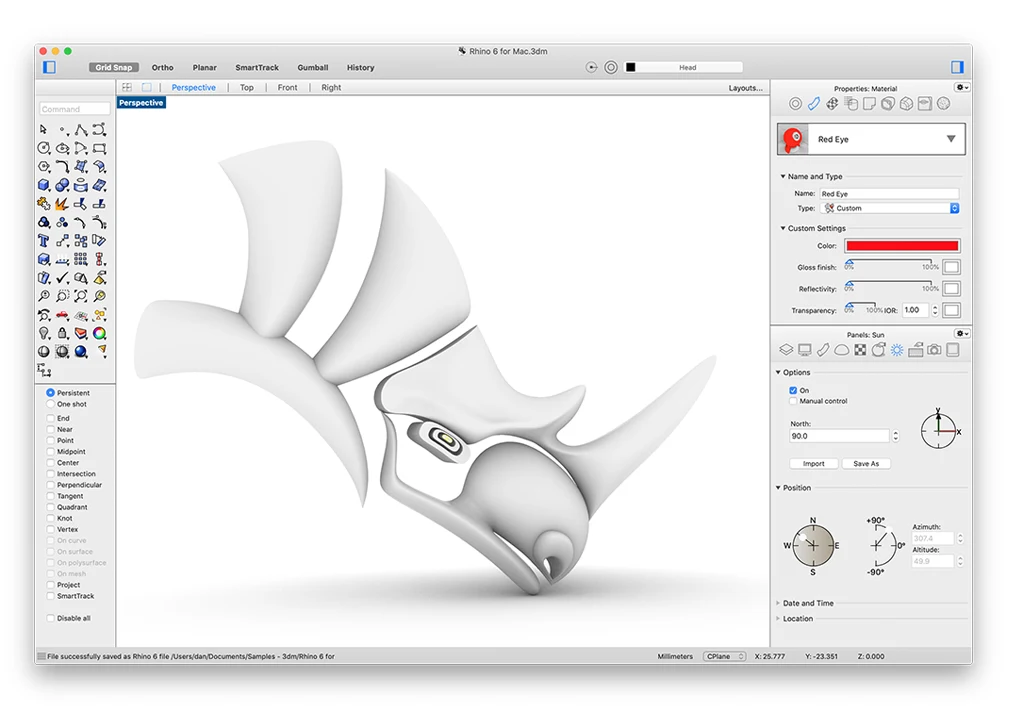
Reach the original Rhino model
Open Rhino on your Mac with your model, layers, and modeling tools still available. Inspect a surface, review object properties, or check the state of a design without exporting it to a separate viewer.
- Review model geometry and layers
- Inspect object properties
- Check model export settings
Use Rhino on iPad
An iPad gives the Rhino viewport more room. Use it to review a model and its layer structure in the original Mac document.
How to get Rhino on your iPhone or iPad
- Open Rhino on your Mac and install the free Apperture Mac host.
- Get Apperture on your iPhone or iPad, then pair with your Mac using its QR code.
- Connect to your Mac and choose the Rhino window. Use landscape orientation for more room.
Keep your Mac awake and on a network your iPhone or iPad can reach. Start on the same local network; for access away from home, see the Tailscale setup guide.
Can I use Rhino on my iPhone or iPad with Apperture?
Yes — by streaming Rhino from your Mac with Apperture. The desktop app runs on your Mac; your iPhone or iPad displays its window and sends remote input back. You need a reachable, awake Mac with Rhino installed, the free Apperture Mac host, and the Apperture app on your iPhone or iPad.
iRhino 3D is a native mobile viewer. Apperture gives access to the Rhino for Mac window and its installed tools, which differs from viewing an exported or synced model. Rhino product information.
Rhino is a trademark of its owner. Apperture is an independent app and is not affiliated with or endorsed by Rhino's developer.