The classic options, decoded
- VNC (Virtual Network Computing) is the protocol behind most Mac remote-viewing tools, including Apple's built-in Screen Sharing. Clients like Screens and Jump Desktop use it to show your whole desktop on iOS.
- RDP (Remote Desktop Protocol) is Microsoft's equivalent — the right tool for controlling Windows machines from your phone, and supported by clients like Jump Desktop. Macs don't speak RDP natively.
- macOS Screen Sharing is free and built in, but has no iPhone client — it's for Mac-to-Mac control.
All three share one trait: they remotely view your entire Mac. On a 6-inch screen that means a 27-inch desktop crammed into your palm — pinch, pan, hunt for the cursor, repeat.
The single-app alternative
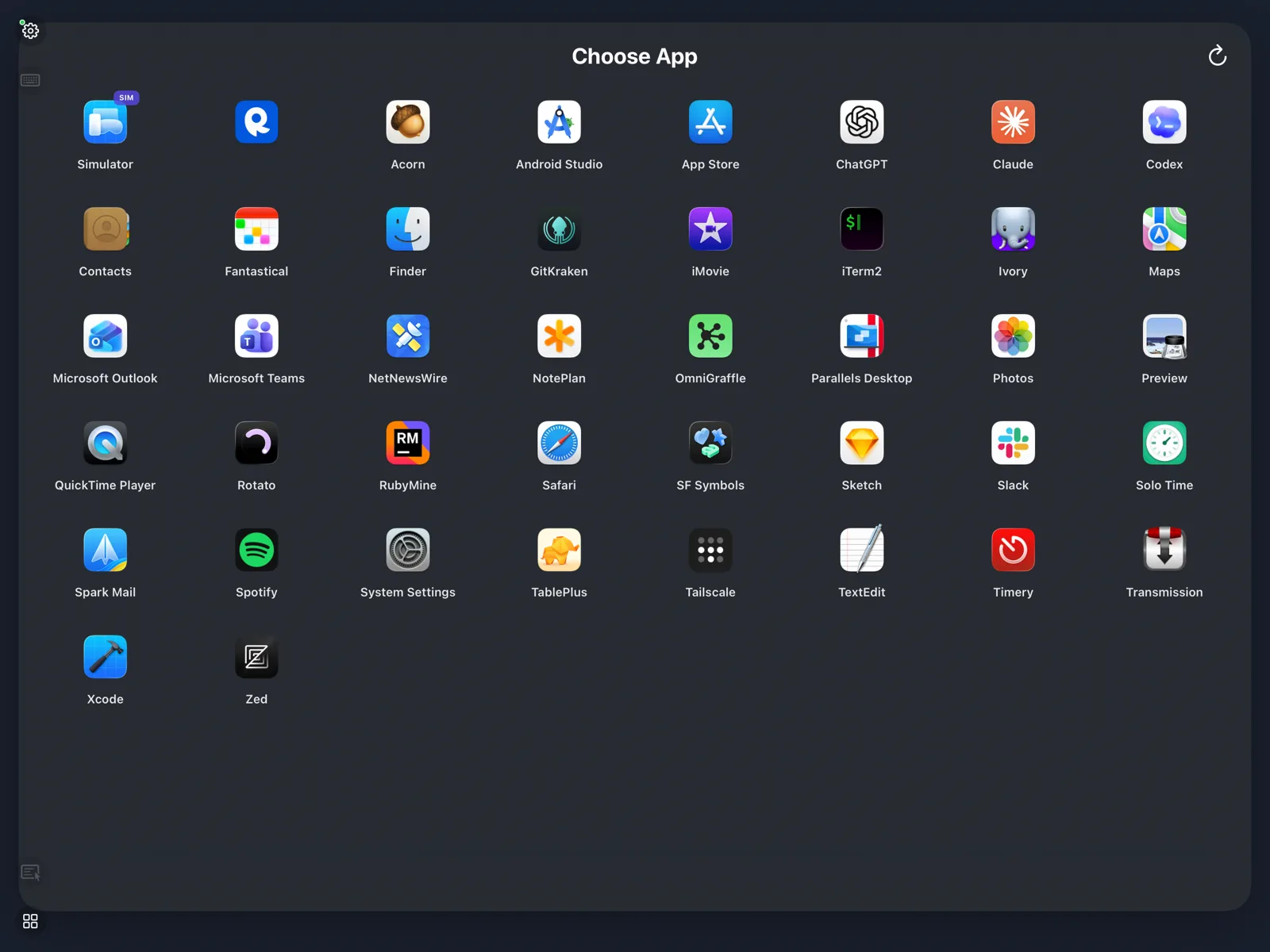
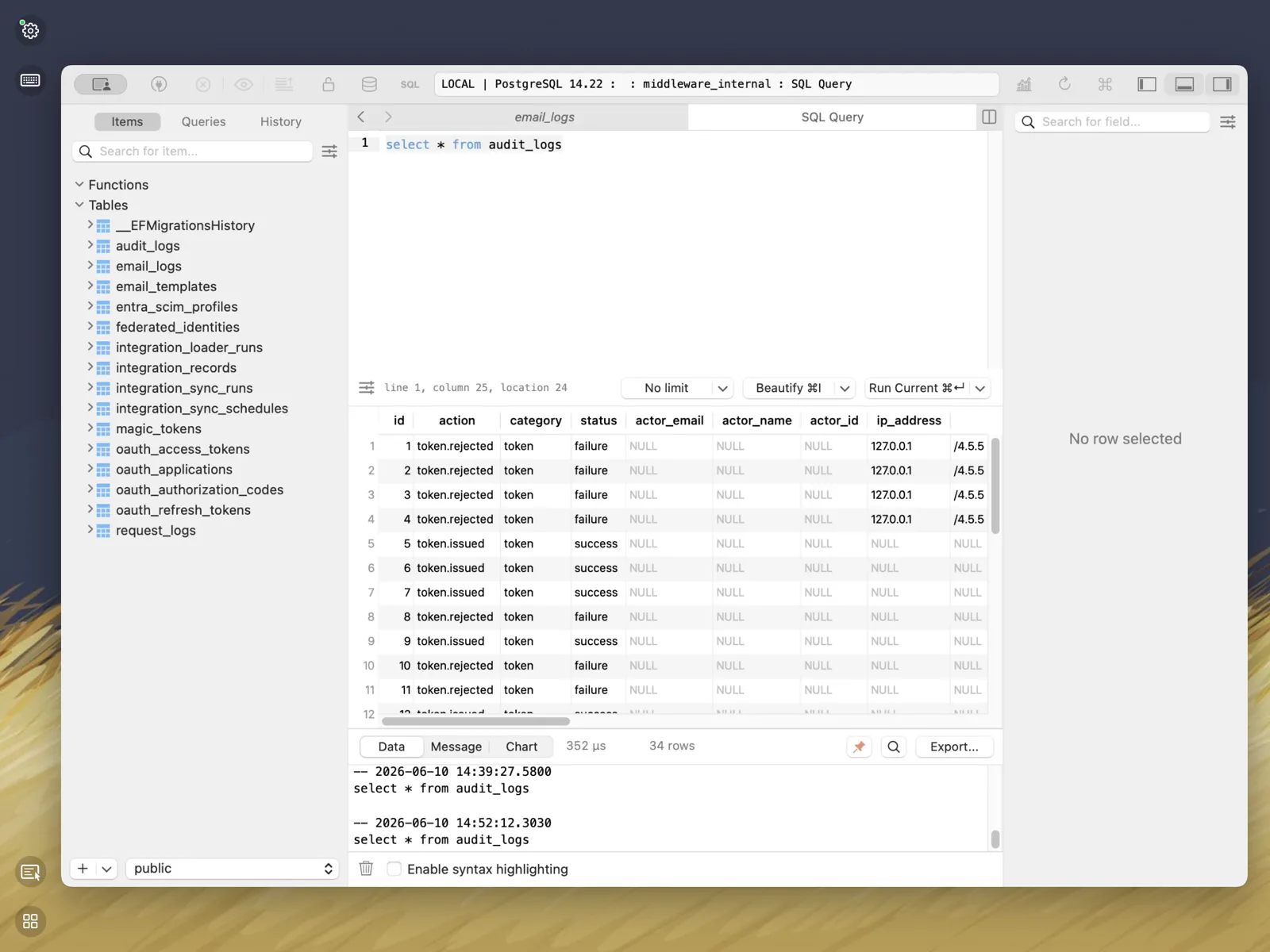
Apperture takes a different approach to remote Mac access: instead of the desktop, you pick one running app, and that window fills your iPhone or iPad at your device's aspect ratio. Touch, keyboard, menus, and clipboard all drive that app directly — it feels like the Mac app is running on your phone, while your Mac does the work.
Which should you use?
- Administering the whole machine — Finder, System Settings, many windows at once — use a full remote desktop client. We compare ourselves honestly against Screens and Jump Desktop.
- Controlling a Windows PC: that's RDP; Apperture is Mac-only by design.
- Mac-to-Mac: built-in Screen Sharing is free and fine.
- Using or watching one Mac app from your iPhone or iPad — a build, a database tool, a terminal, an agent — that's Apperture's whole reason to exist.
Private by design
Unlike most remote desktop services, Apperture has no cloud relay: streams are peer-to-peer on your private network, encrypted per session, with QR-code pairing the Mac owner must approve. Away from home, Tailscale extends the same private connection anywhere. Details in the security overview.
Set it up in five minutes
The walkthrough lives in How to view a Mac app on your iPhone: free Mac host, iOS app from the App Store, one QR code, done.